
Your iPhone’s Spotify App Is Getting a Cool New Ability

The new feature is something most Spotify subscribers will find quite useful.

White Spotify logo with three curved lines inside a circle on a blue to purple gradient background.Spotify

Spotify is having quite the week.

The streaming giant just announced a new feature for parents who are paying subscribers. Specifically, they can now create a free managed account for their kids.

This way, kids (13 and under) can listen and discover their own music, as well as create their own playlists, without it muddying their parents’ suggestions and feed. And it comes at no extra cost.

Previously, this feature was available only to parents who also subscribed to a Premium Family plan. Now, it’s available to all Premium subscribers.

If you’re not a parent, no worries: Spotify announced another new feature that I’m guessing many people will find very useful.

It’s called Talk to Spotify.
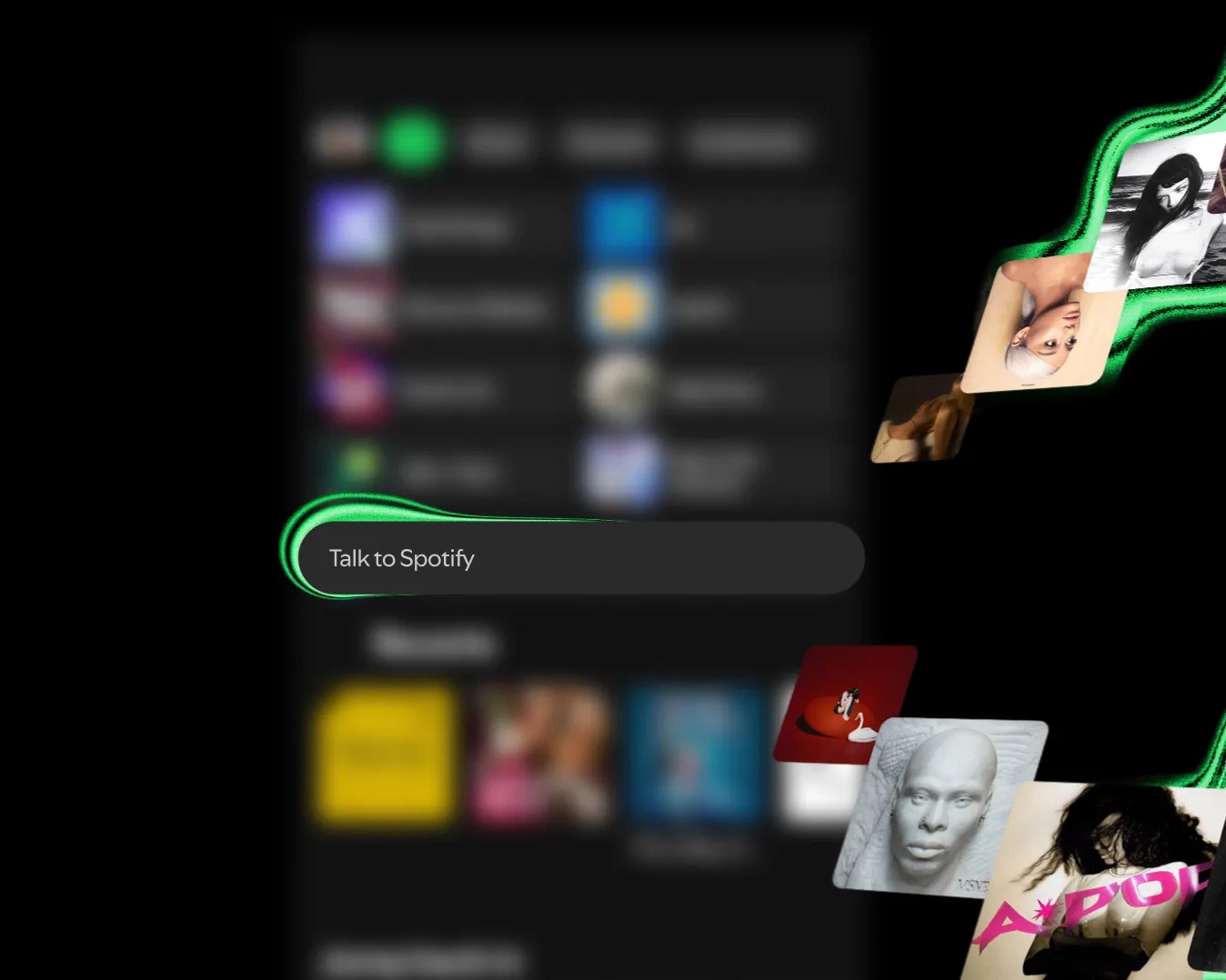
Spotify app interface with a "Talk to Spotify" voice command prompt and floating album covers on a black background.
Talk to Spotify is rolling out in beta to Premium subscribers right now.
Spotify

Talk to Spotify

Talk to Spotify is a new AI chatbot feature that aims to make it way easier and more conversational to control music playback, discover new music and learn more about the podcasts and audiobooks you’re already listening to.

It allows you to control all the above with your voice or by typing in a textbox, similar to how you use Siri on your iPhone. The difference is that Talk to Spotify works exclusively when in the Spotify app. And when you’re in the Home and the Now Playing views. 

Spotify says in the press release: “By typing or speaking directly in the app, you can have a back-and-forth conversation to choose what’s playing, learn about the music you love, revisit your listening history, and go deeper on podcasts and audiobooks, all without leaving Spotify.”

A demo of Talk to Spotify from the company’s blog post.

The company gives a number of examples of what you can do when using Talk to Spotify.

You can ask it to “Play some artists I haven’t heard before” or “Keep the same vibe, but with smaller undiscovered artists.” You can ask to add songs from specific artists to existing playlists. You also specify that these songs be newer or older, as well as specify the mood (upbeat or more mellow) of the tracks.

When you hear a track you like, you can use Talk to Spotify to “save this song,” “add this to my queue” or “follow this artist.”

You can get more information or context on what you’re listening to. Specifically, you can ask questions like, “What other podcasts has this guest been on?”, “What was the inspiration behind this album?” or “Can you recommend similar audiobooks?”

Also, you can ask specific information about your listening habits as it relates to a specific artist, song or album. For example, you can ask how many times you’ve listened to a specific song or when you first listened to it. Pretty neat.

Spotify new features
Talk to Spotify is compatible with both iOS and Android devices.
Photo by Tucker Bowe for Gear Patrol

When’s it coming?

Spotify says that it is gradually rolling out the Talk to Spotify feature right now to Premium subscribers who are 18+ in the U.S., Ireland and Sweden across iOS and Android devices in English.

The feature is currently in beta, which is Spotify’s way of saying that responses might not exactly be perfect at launch.

If you’re a Premium subscriber, you can check to see if you have access to Talk to Spotify now. Just open the Home view in the Spotify app.

Want to stay up to date on the latest product news and releases? Add Gear Patrol as a preferred source to ensure our independent journalism makes it to the top of your Google search results.

add as a preferred source on google
,