
Your Apple Watch Quietly Got an Unexpected New Feature

Do you wear your Apple Watch to track your sleep? Check this out.

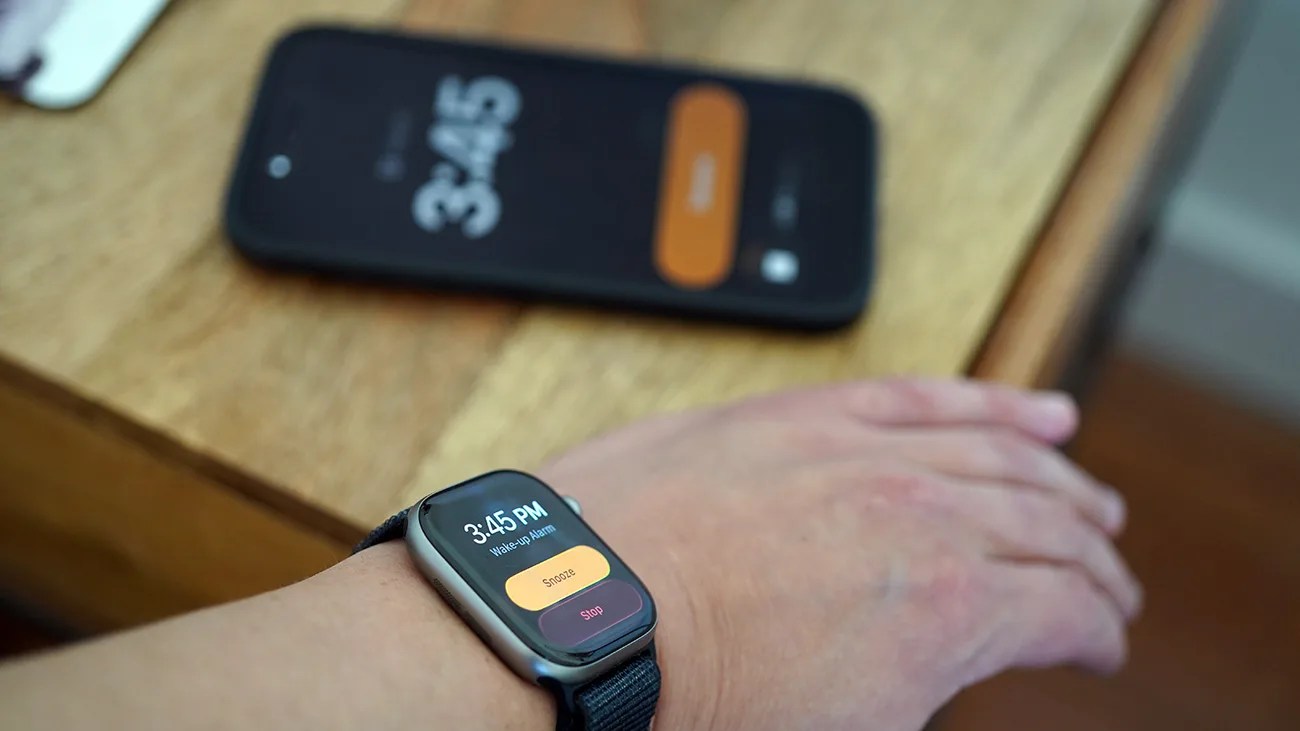
Smartwatch with a wake-up alarm displaying 3:45 PM and snooze/stop buttons worn on a wrist above a wooden table with a smartphone.Photo by Tucker Bowe for Gear Patrol

If you’re somebody who wears their Apple Watch to track their sleep, you’ll probably be intimately aware of this issue. When using Sleep Schedule, your morning alarm will sound (or vibrate) on your Apple Watch, not your iPhone, which will remain silent.

The idea is that if the alarm only plays on your Apple Watch, it helps prevent waking your partner. However, many people have found that the Apple Watch’s alarm isn’t loud enough to wake them. So they’d miss their alarm.

To solve this, they wanted their iPhones’ and Apple Watches’ alarms to go off simultaneously. But that wasn’t previously possible. That has since changed.
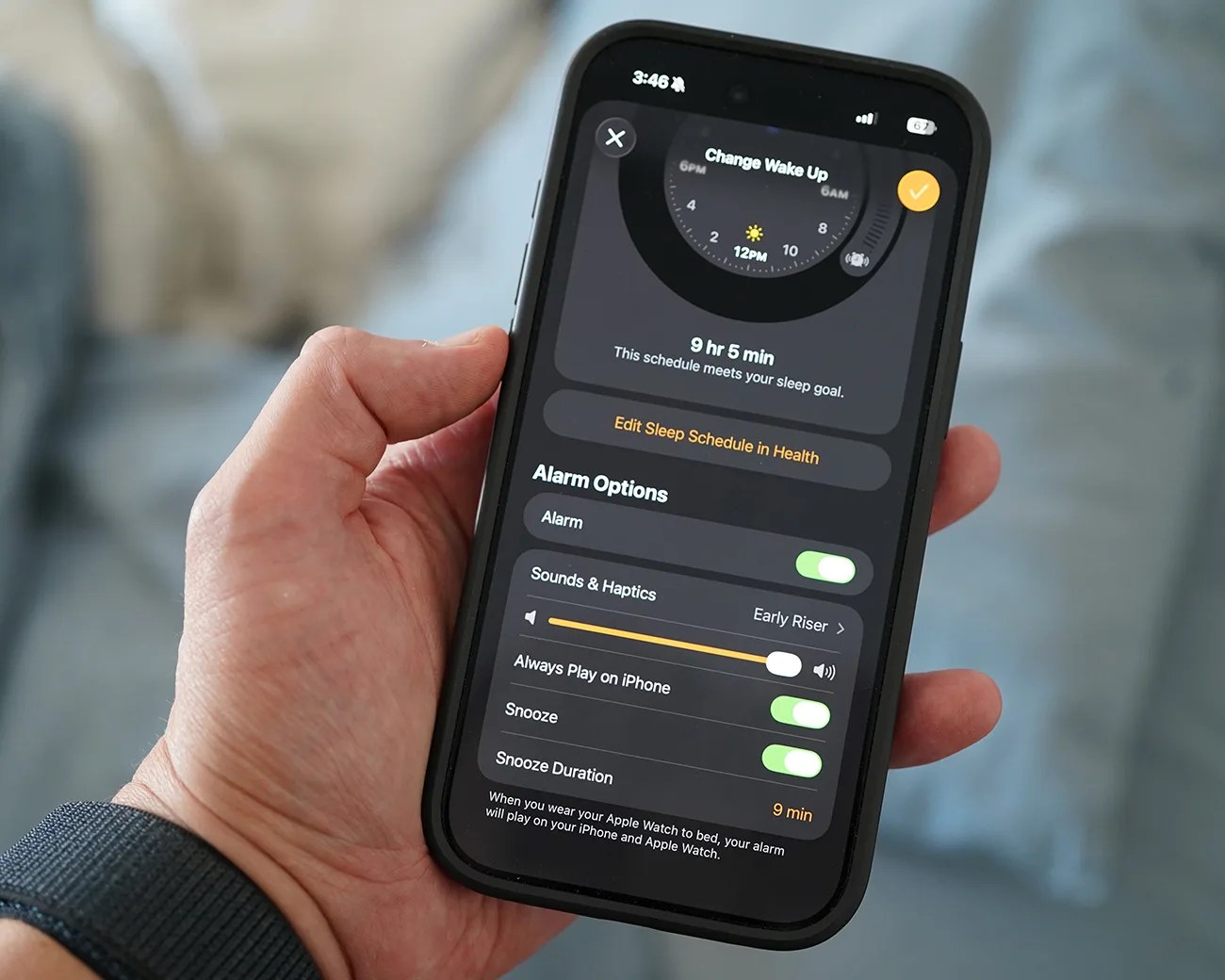
Smartphone screen showing alarm settings with wake-up time set for 9 hours 5 minutes and snooze duration of 9 minutes.
The feature was introduced with iOS 26.6, which was released at the end of March.
Photo by Tucker Bowe for Gear Patrol

Always Play on iPhone

Apple recently rolled out iOS 26.4 and with it, introduced a new feature called “Always Play on iPhone.” When toggled on, your morning alarm clock will play on both your Apple Watch and your iPhone.

This can be found in the Clock app or the Health app once you have Sleep Schedule set up. (But it’s easier to find/toggle in the Clock app.)
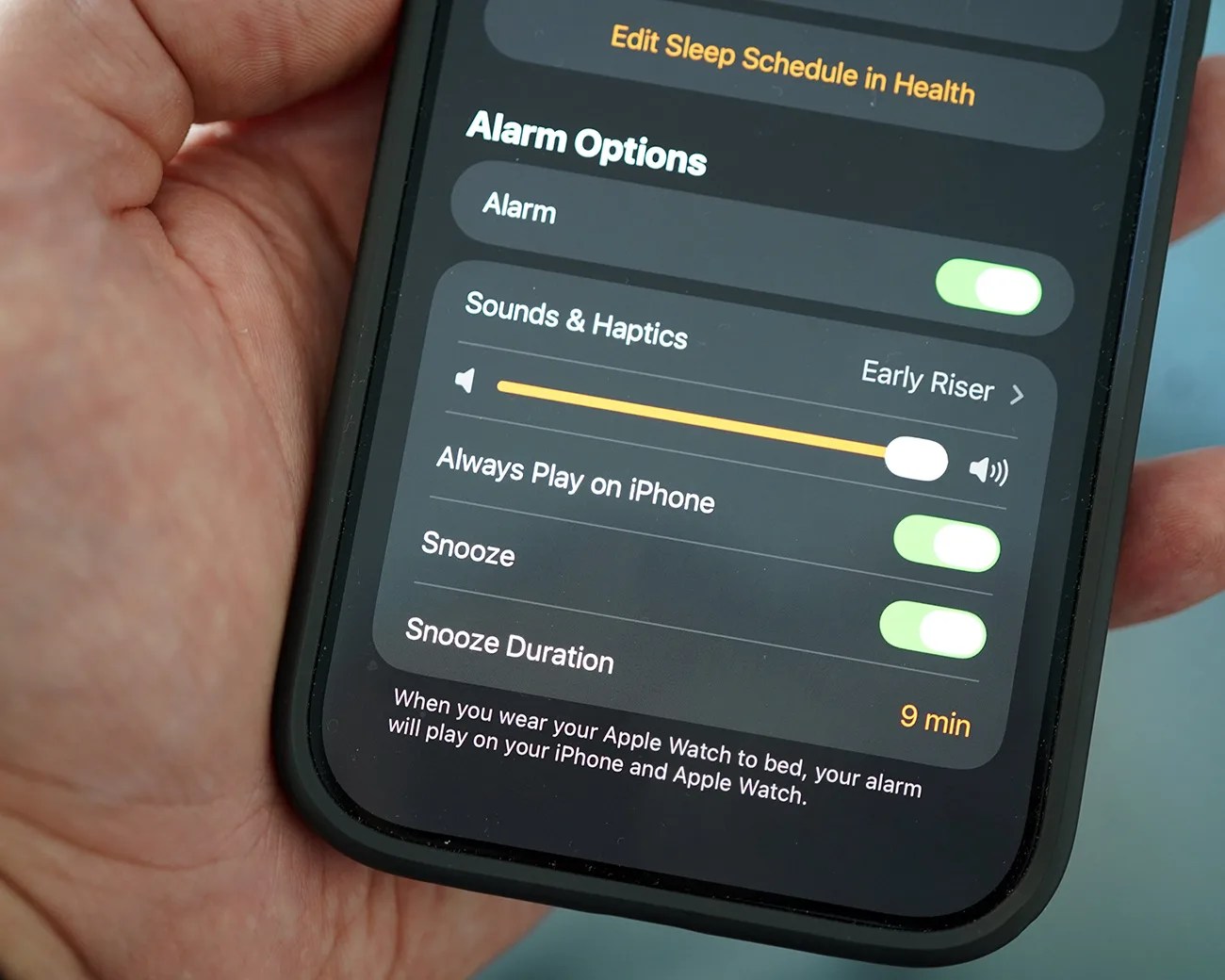
Close-up of a smartphone screen showing alarm options with toggles for alarm, sounds & haptics, always play on iPhone, snooze, and snooze duration set to 9 minutes.
As Apple describes: “When you wear your Apple Watch to bed, your alarm will play on your iPhone and Apple Watch.”
Photo by Tucker Bowe for Gear Patrol

Here’s how to turn it on:

  1. Open the Clock app on your iPhone.
  2. Go to the Alarms tab (at the bottom).
  3. Go to your Sleep/Wake Up Alarm and select Change.
  4. Under Alarm Options, toggle on “Always Play on iPhone.”

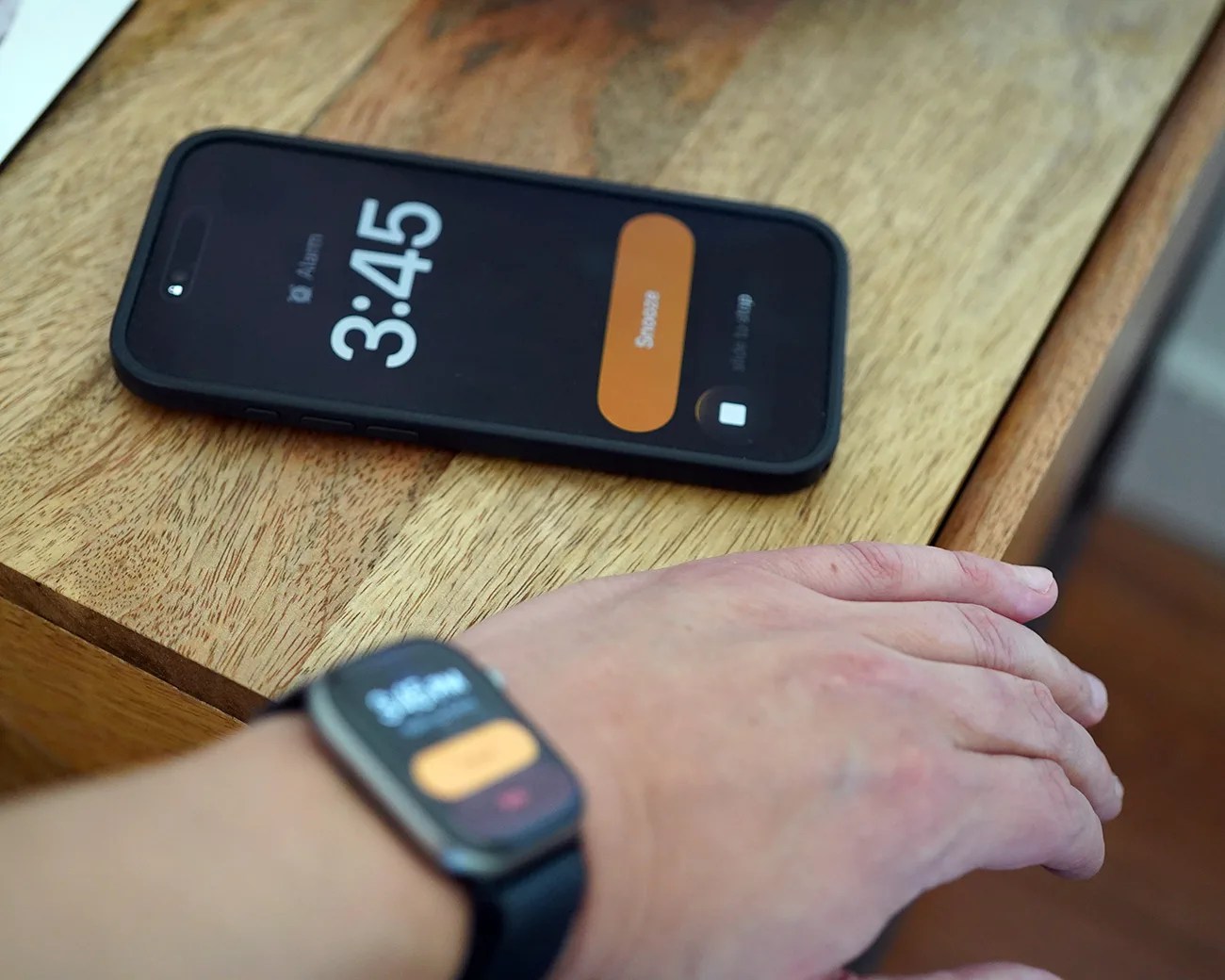
Once toggled on, both your iPhone’s and Apple Watch’s alarms will go on in the morning. The iPhone’s alarm is significantly louder, making it easier to wake up.

The “Always Play on iPhone” feature is toggled off by default, so you’ll need to use the Clock app to turn it on.

Note: This new feature only works with the Sleep/Wake Up alarm. It doesn’t affect the “Other” alarms you have set up in the Clock app.

Black smartphone and smartwatch both displaying a 3:45 alarm snooze screen, with the phone on a wooden surface and the watch worn on a wrist.
When Always Play on iPhone is toggled on, your morning alarm will play on both your iPhone and Apple Watch.
Photo by Tucker Bowe for Gear Patrol

Want to stay up to date on the latest product news and releases? Add Gear Patrol as a preferred source to ensure our independent journalism makes it to the top of your Google search results.

add as a preferred source on google