Your Apple Watch Is Getting a Small But Useful Upgrade

In just a few weeks, Apple is going to make your current Apple Watch even better in several key ways.

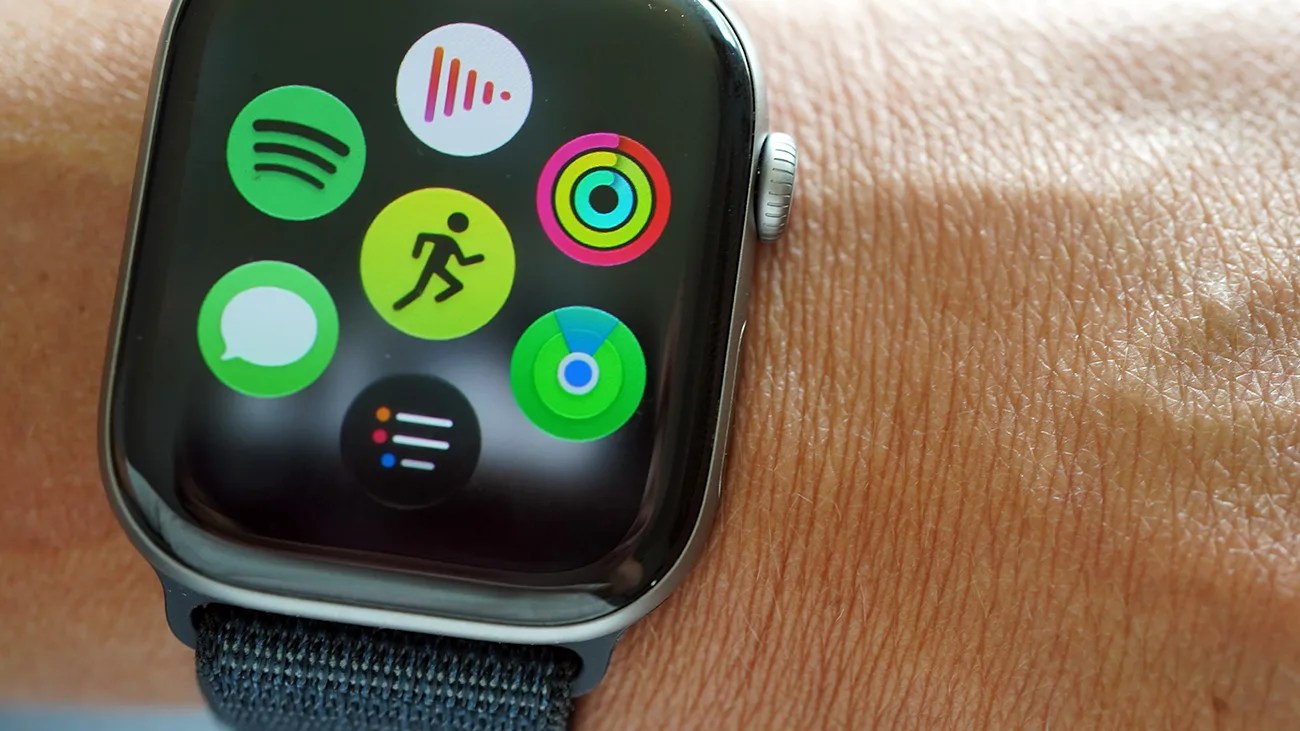
Smartwatch with a black woven band displaying colorful app icons on the screen, worn on a wrist.Photo by Tucker Bowe for Gear Patrol

When iOS 27 and watchOS 27 get released in September, the next-gen operating systems will bring several new features that will benefit Apple Watch wearers.

For the first time, the Apple Watch is getting a standalone Siri app. Plus, the smart assistant promises to be way more capable (thanks to Siri AI). There’s the Dynamic app grid, a new Apple Watch display that should make it easier to quickly open your most-used apps. And there’s a new tap gesture to help you navigate your Apple Watch with one hand.

Maybe going a little under the radar, the updated operating systems will bring key improvements to how Find My works … specifically for Apple Watch wearers.

One, unified Find My app
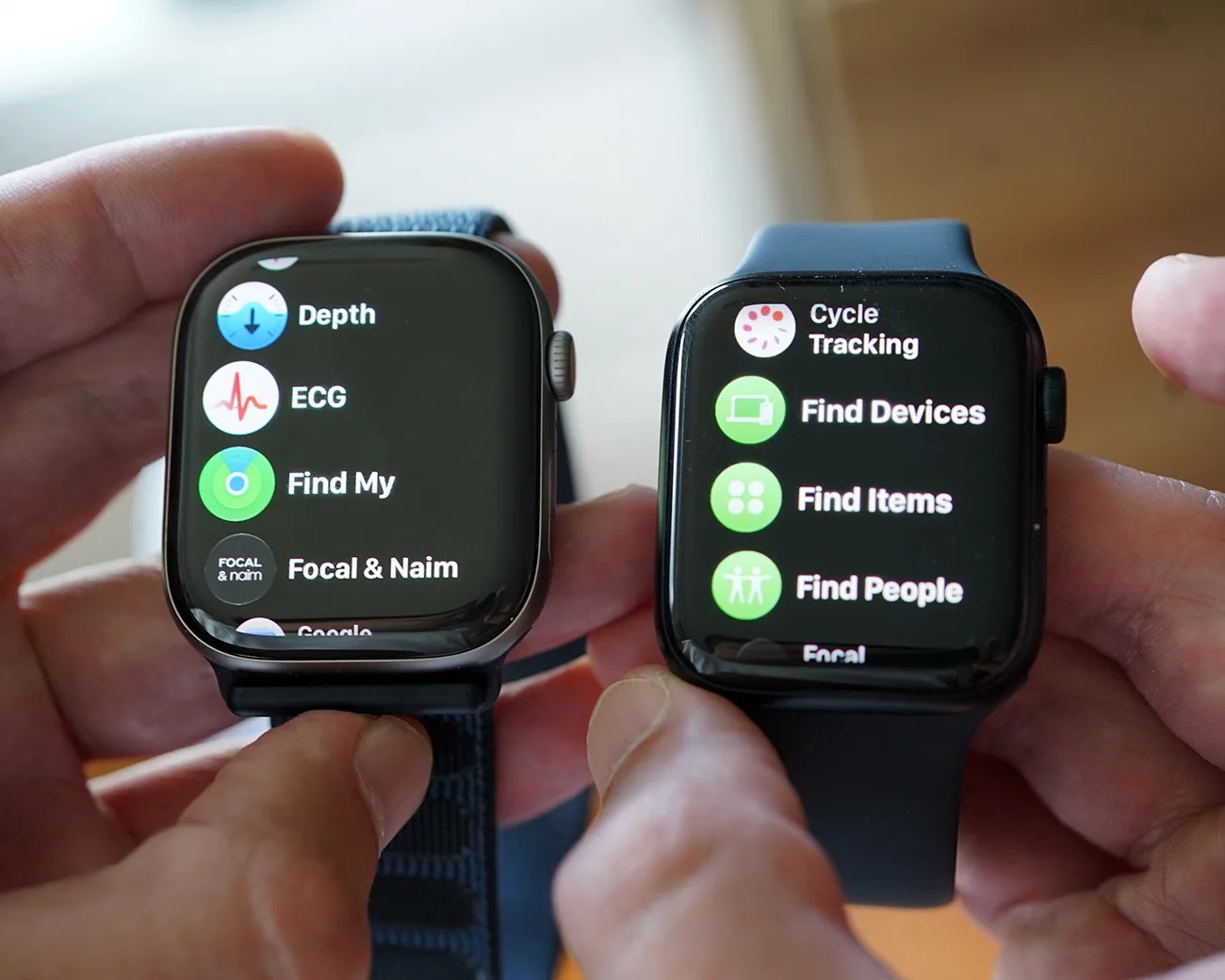
Two smartwatches with black straps held in hands, displaying health and tracking app menus on their screens.
The Apple Watch on the left is running the public beta of watchOS 27 and, as you can see, as the new, unified Find My app. The model on the right is running watchOS 26, which has three separate Find My apps.
Photo by Tucker Bowe for Gear Patrol

First up, Find My on your Apple Watch is getting a pretty notable redesign. Or, more accurately, it’s finally getting a unified app.

To date, there’s not been one but three separate Find My apps on your Apple Watch: Find Devices, Find Items and Find People. With watchOS 27, there’s a single Find My app for all three on the Apple Watch. Just like it is on your iPhone.
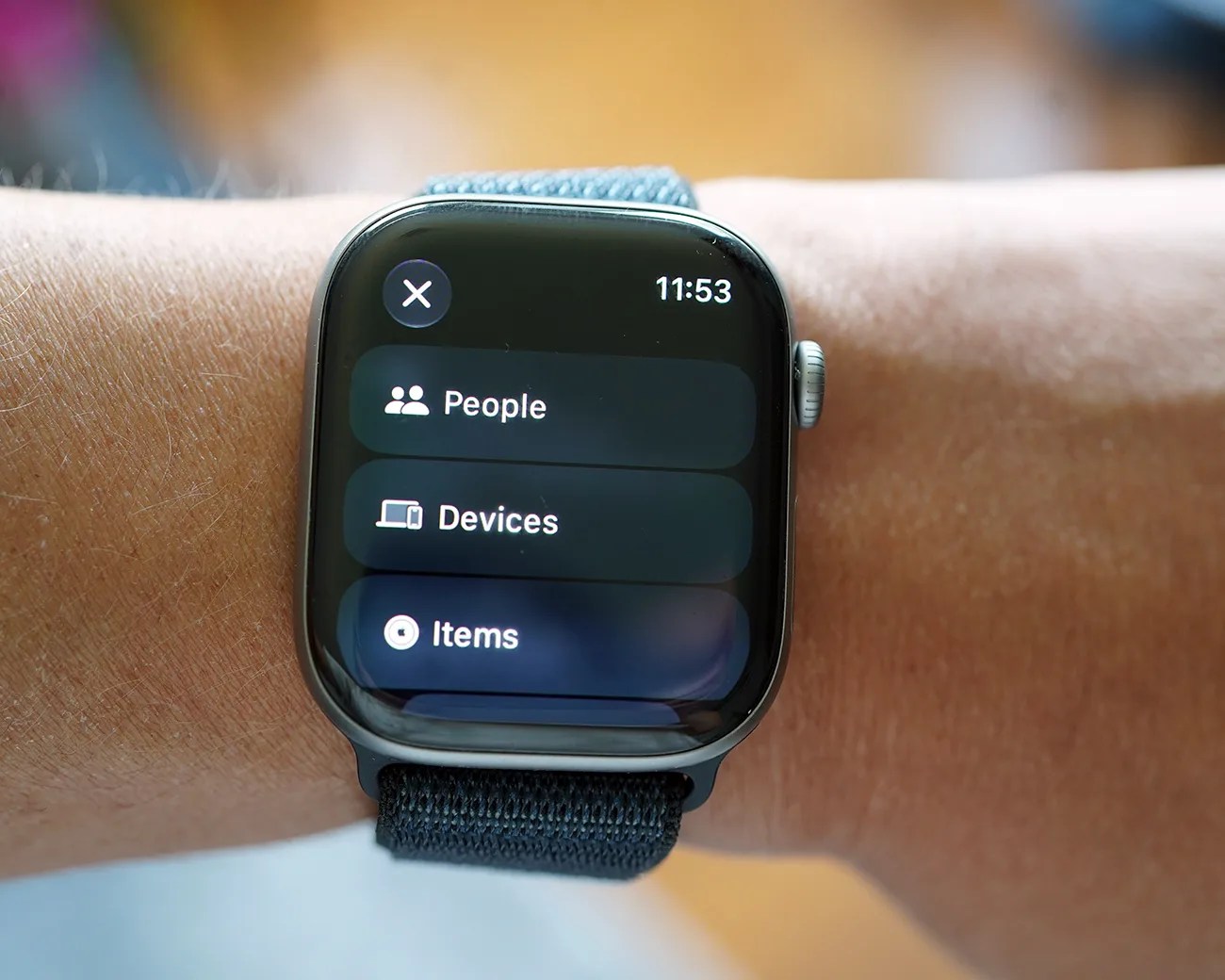
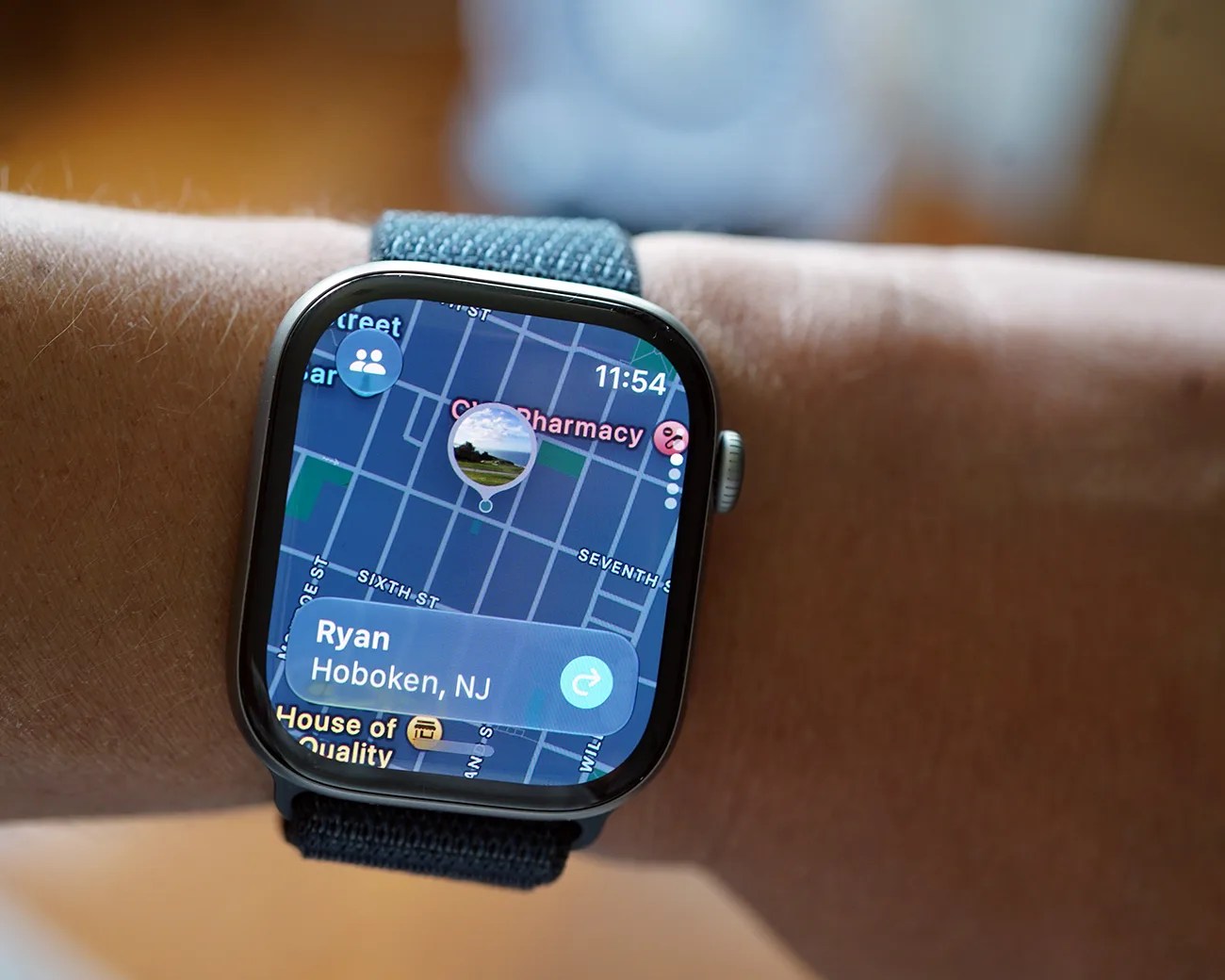
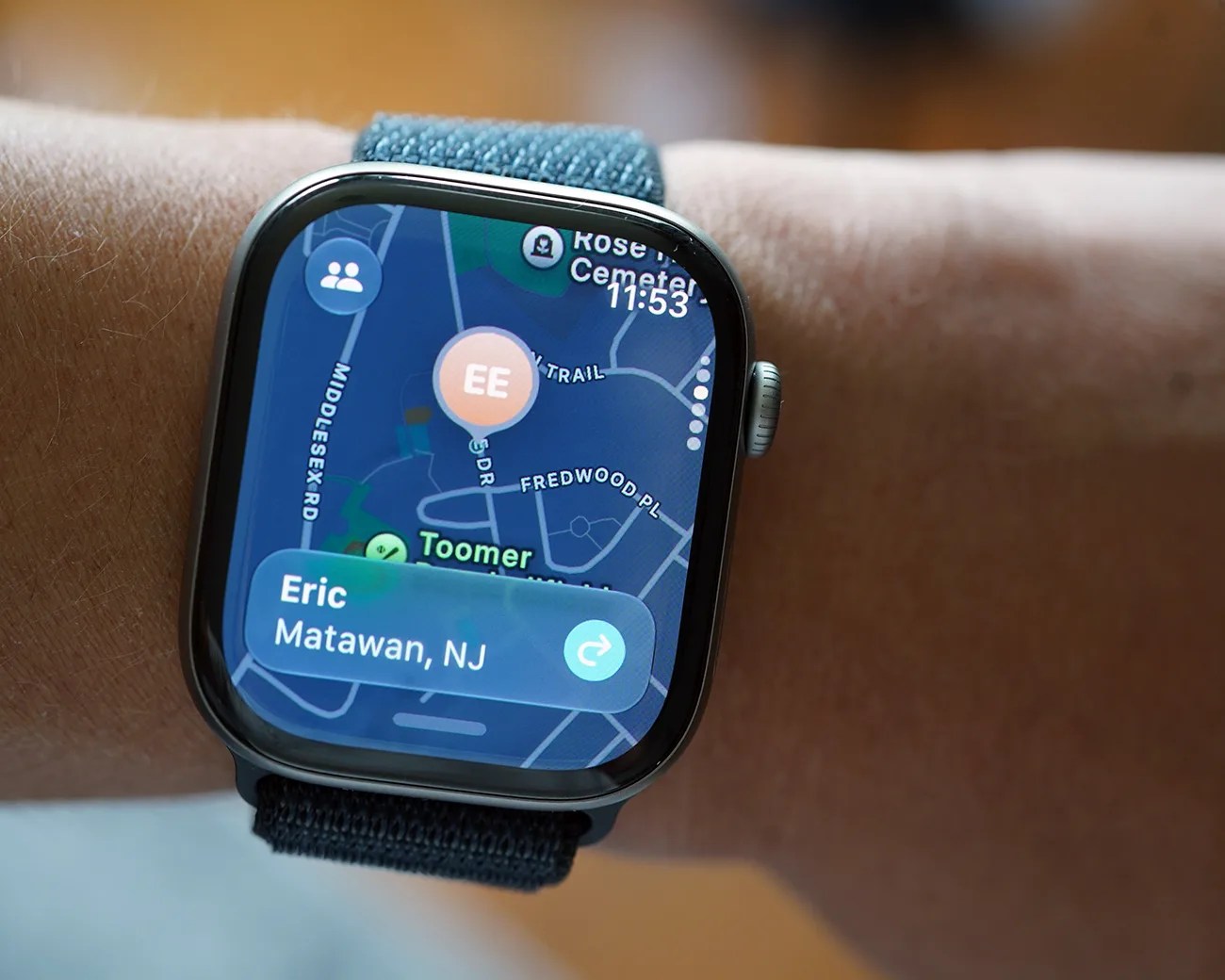
When the Find My app is opened on your Apple Watch, you’re greeted by a new “map-centric” user interface that lets you toggle between the people you share your location with, as well as your items and devices.

Smartwatch with black woven band displaying a menu with options for People, Devices, and Items at 11:53.
When opening the new Find My app, you’ll be greeted with the familiar options of seeing the people you share locations with, as well as your devices and items.
Photo by Tucker Bowe for Gear Patrol

Tracking improvements

Additionally, the Find My app lets you use Precision Finding to more easily locate newer devices (like iPhones, AirPods Pro 3 and second-gen AirTags) right from your Apple Watch.

Maybe even more importantly, iOS 27 introduces a smarter way of Find My tracking for those who wear an Apple Watch.

As of right now, you’ve only been able to pick one device to serve as your location. And by default, it’s your iPhone. But Apple knows that sometimes people like to leave their iPhones at home when they want to go for walks, exercise or just disconnect from their screen.

Smartwatch with a blue fabric band displaying a map and location details for Ryan in Hoboken, NJ.
The new Find My app looks familiar to one on your iPhone.
Photo by Tucker Bowe for Gear Patrol
Smartwatch with a blue fabric band displaying a map and location info for "Eric Matawan, NJ" on a wrist.
Apple calls this a “map-centric” look.
Photo by Tucker Bowe for Gear Patrol

With iOS 27, Apple has introduced Automatic location sharing for people who own an Apple Watch. In a nutshell, Find My is now smart enough to know when you’ve left your iPhone at home, and it’ll start showing the location of your Apple Watch instead.

It’s a simple but important upgrade, as it gives people who you share your location with a more accurate understanding of where you are at any given time.

It’ll work with both cellular and GPS-only Apple Watch models.

iOS 27 and watchOS 27 will roll out this fall after Apple announces its next batch of new iPhones. Public betas of each operating system are now available for those who want to get a jump on the new features.

Want to stay up to date on the latest product news and releases? Add Gear Patrol as a preferred source to ensure our independent journalism makes it to the top of your Google search results.

add as a preferred source on google
,