
Your iPhone Is Getting a Simple Yet Significant New Feature

It’s a simple fix to one of your iPhone’s most frustrating new features.

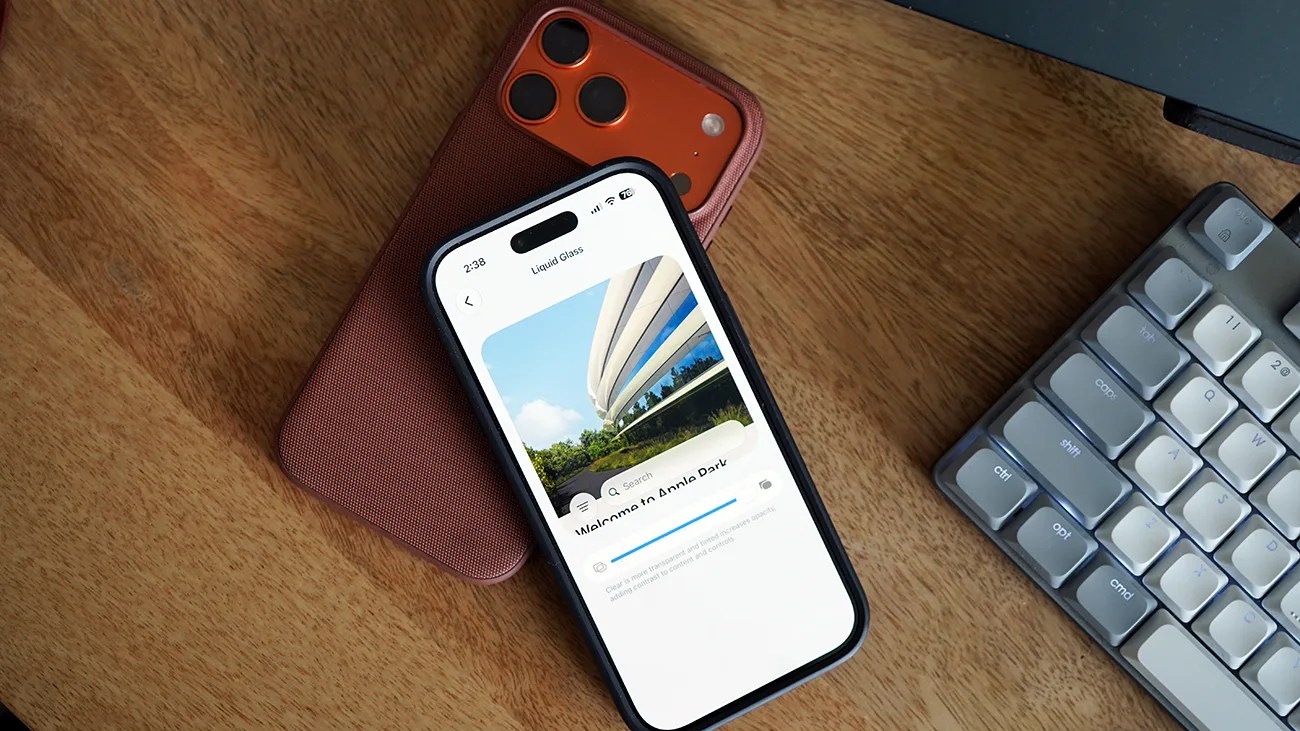
Two smartphones stacked on a wooden surface next to a gray mechanical keyboard, one phone displaying an app with a building image.Photo by Tucker Bowe for Gear Patrol

When Apple introduced iOS 26 last fall, it also introduced one of the most controversial iPhone features in years: Liquid Glass.

On one hand, the Liquid Glass design makeover was visually cool. It brought a transparent 3D effect to your home screen, as well as various apps, navigation bars, folders and docks, that made it appear like you were looking through a shard of glass.

On the other hand, many found that Liquid Glass made it more difficult to use their iPhones; it created a blurred (or frosted) effect on the foreground and background, making apps and menus less legible.

A Liquid Glass slider
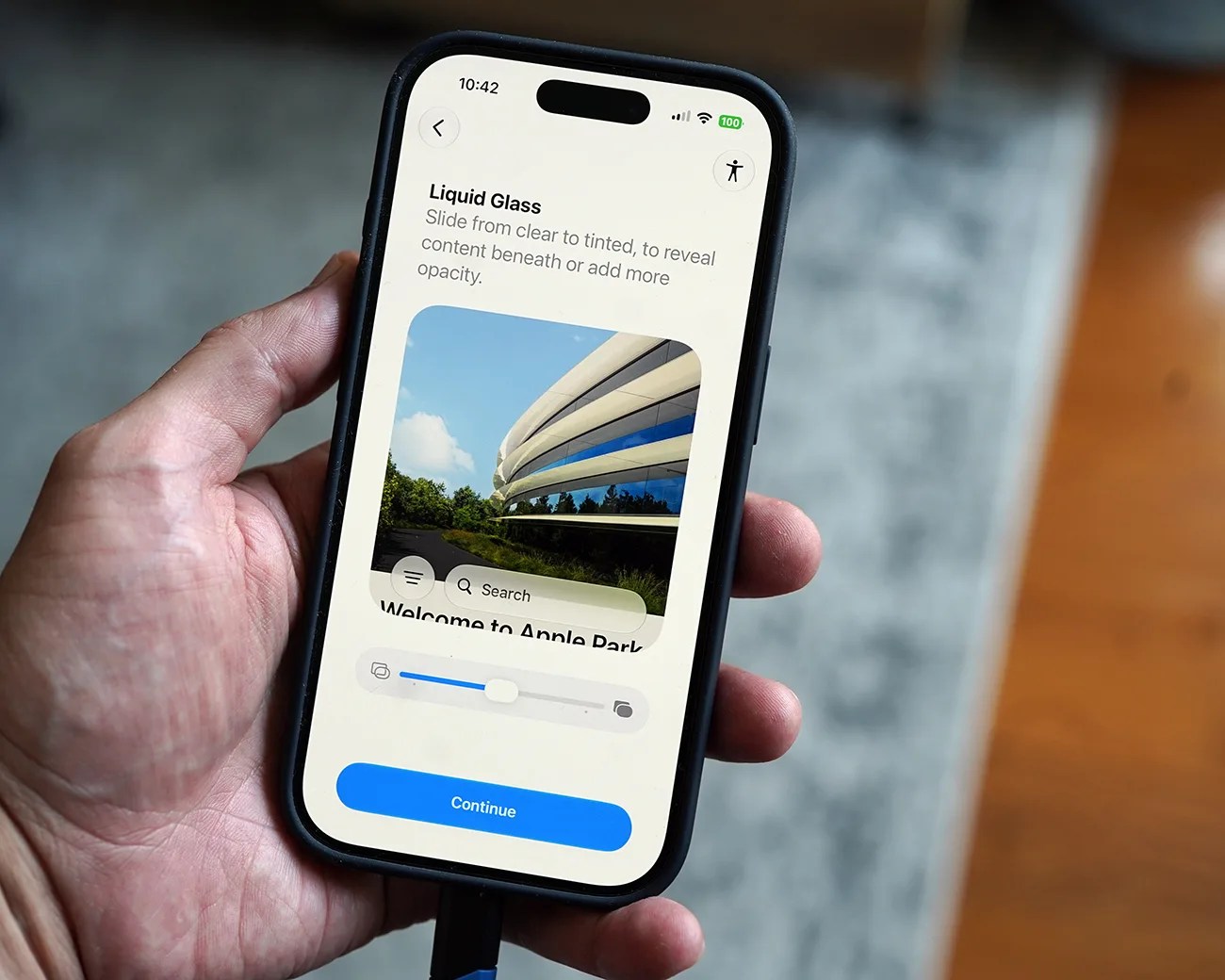
Smartphone held in a hand displaying a screen with "Liquid Glass" text and a photo of a modern building.
The public beta of iOS 27 is available now. It introduces a new Liquid Glass slider.
Photo by Tucker Bowe for Gear Patrol

Aware of the criticism, Apple rolled out subsequent software patches that let you reduce the transparency of Liquid Glass and disable it for specific elements on your iPhone’s screen (like the Notification Center and certain search bars). However, you weren’t able to turn it off.

With iOS 27, you still won’t be able to completely turn off Liquid Glass, but Apple is introducing an improved fix in the form of a slider that lets you increase and decrease the effects of Liquid Glass.
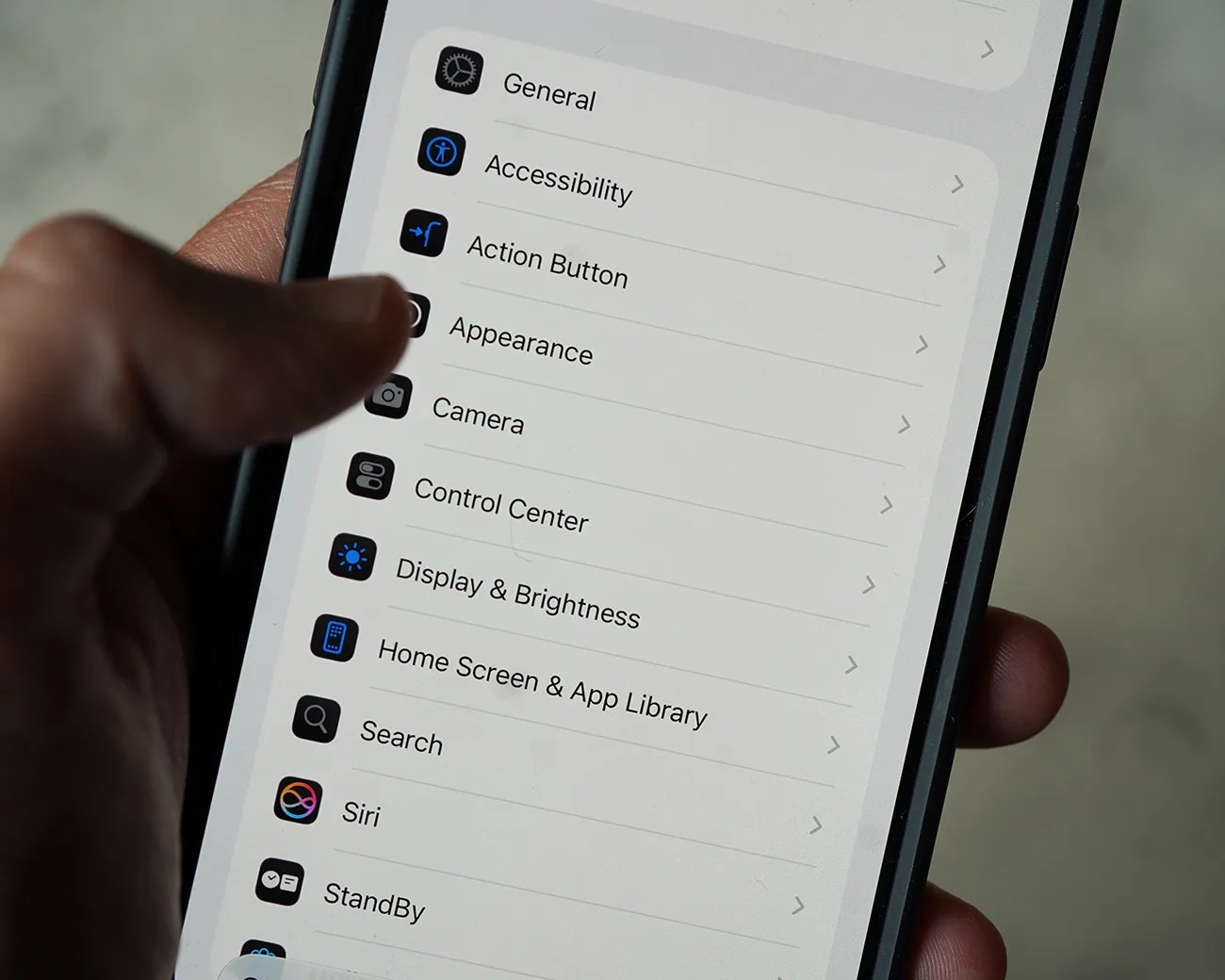
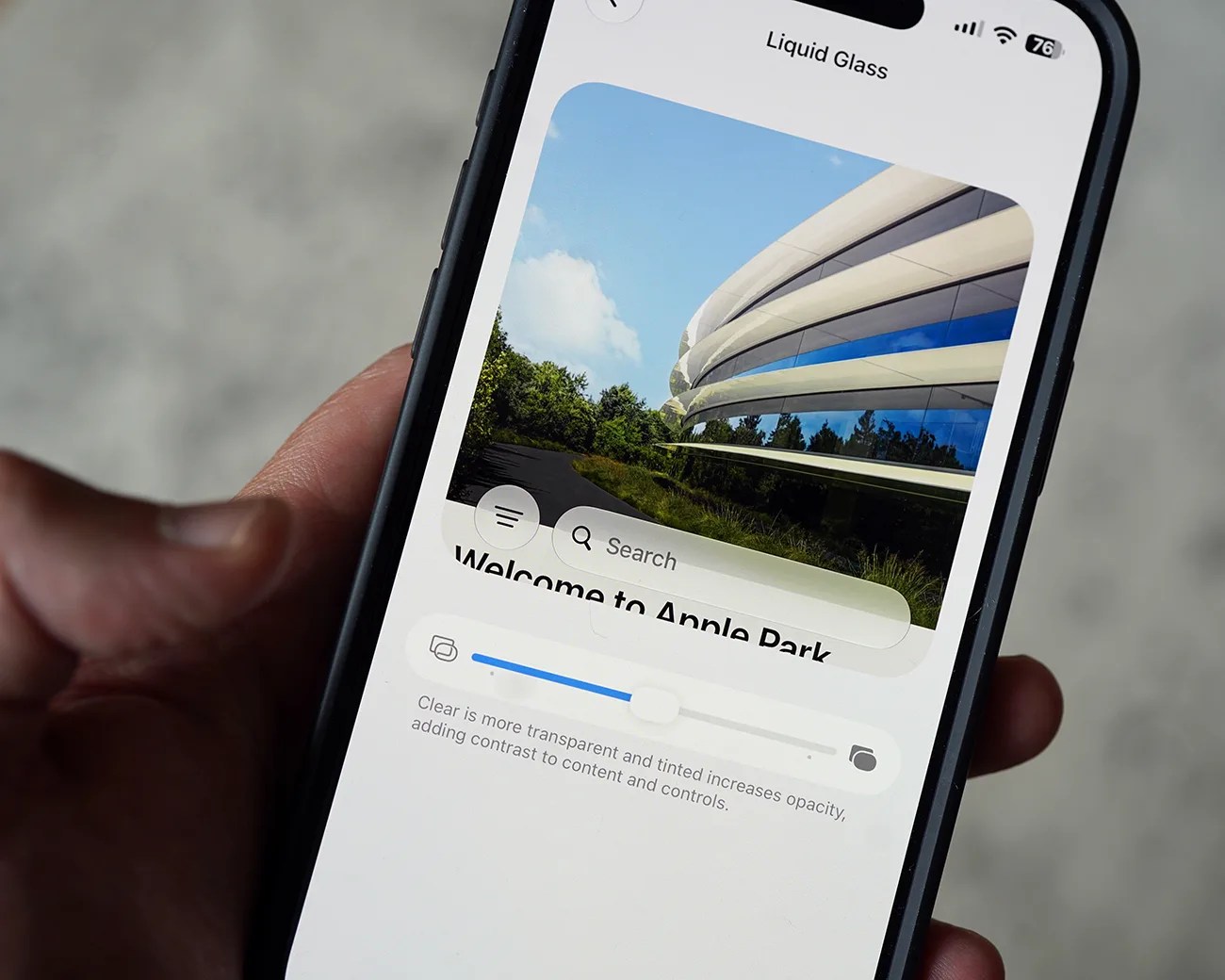
According to Apple, it gives “users the option to personalize Liquid Glass, adjusting it anywhere from ultra-clear to fully tinted to match their preference.”

Smartphone screen showing settings menu with options like General, Accessibility, Action Button, and Display & Brightness.
The Liquid Glass slider is located in a new Appearance section, located in the Settings app.
Photo by Tucker Bowe for Gear Patrol
Smartphone screen showing a "Liquid Glass" app with a photo of Apple Park and a transparency slider.
The slider lets you test out the different levels of clarity and opacity of Liquid Glass.
Photo by Tucker Bowe for Gear Patrol

Superior transparency control

Apple has officially rolled out the public beta of iOS 27 and, with it, gave us a first look at the new Liquid Glass slider. It’s accessible via the Settings app and located in a new Appearance tab.

  1. Open the Settings app.
  2. Tap Appearance.
  3. Select Liquid Glass.

From here, you have access to the new Liquid Glass slider. By default, the slider is positioned in the center, which is dead even between fully transparent and fully opaque. You can adjust the slider and see the difference as displayed by a text box over a photo of Apple Park.

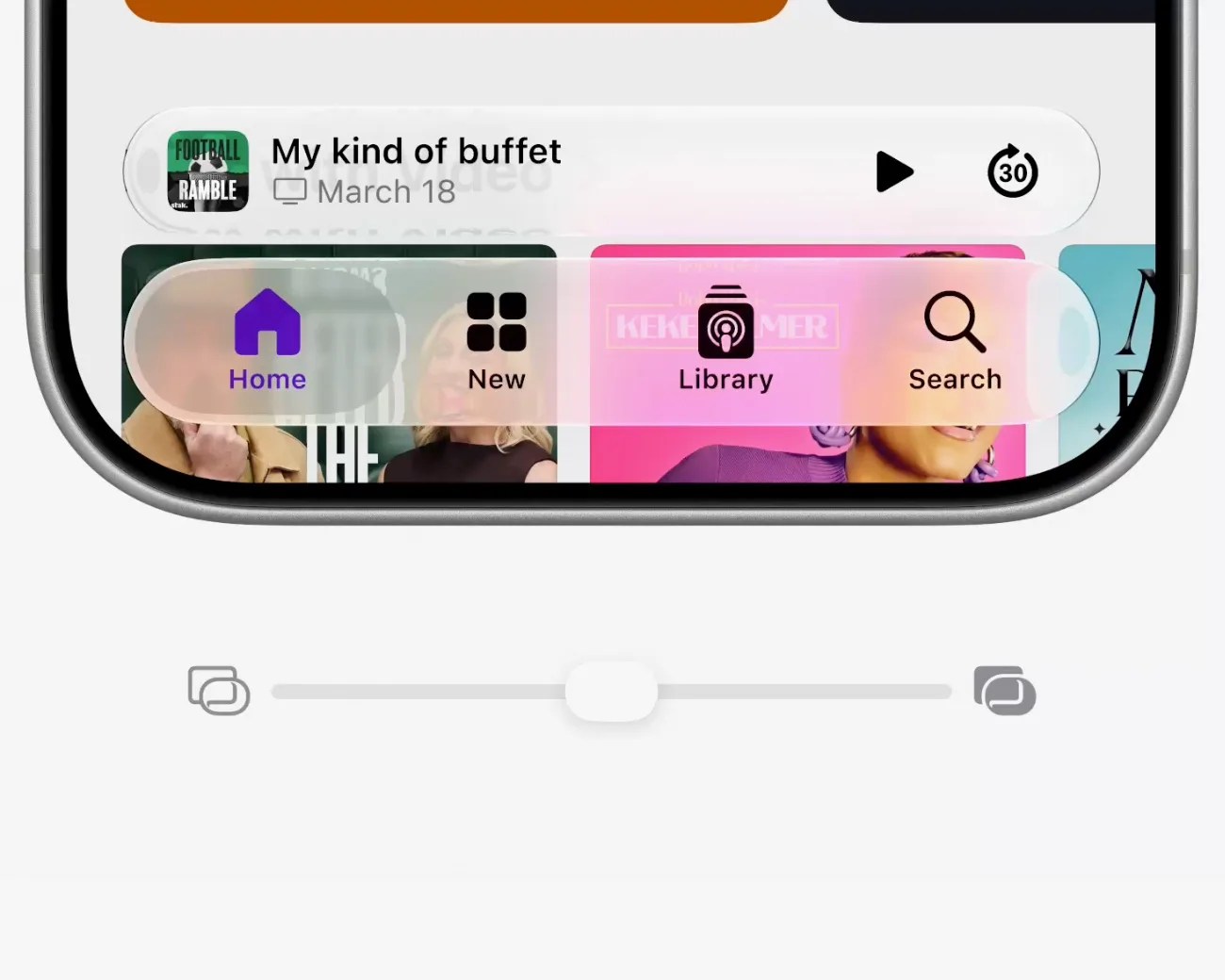
Close-up of a smartphone screen showing a podcast titled "My kind of buffet" with playback controls and a navigation bar with Home, New, Library, and Search icons.
The Liquid Glass slider shown in the middle ground between ultra-clear and fully tinted.
Apple
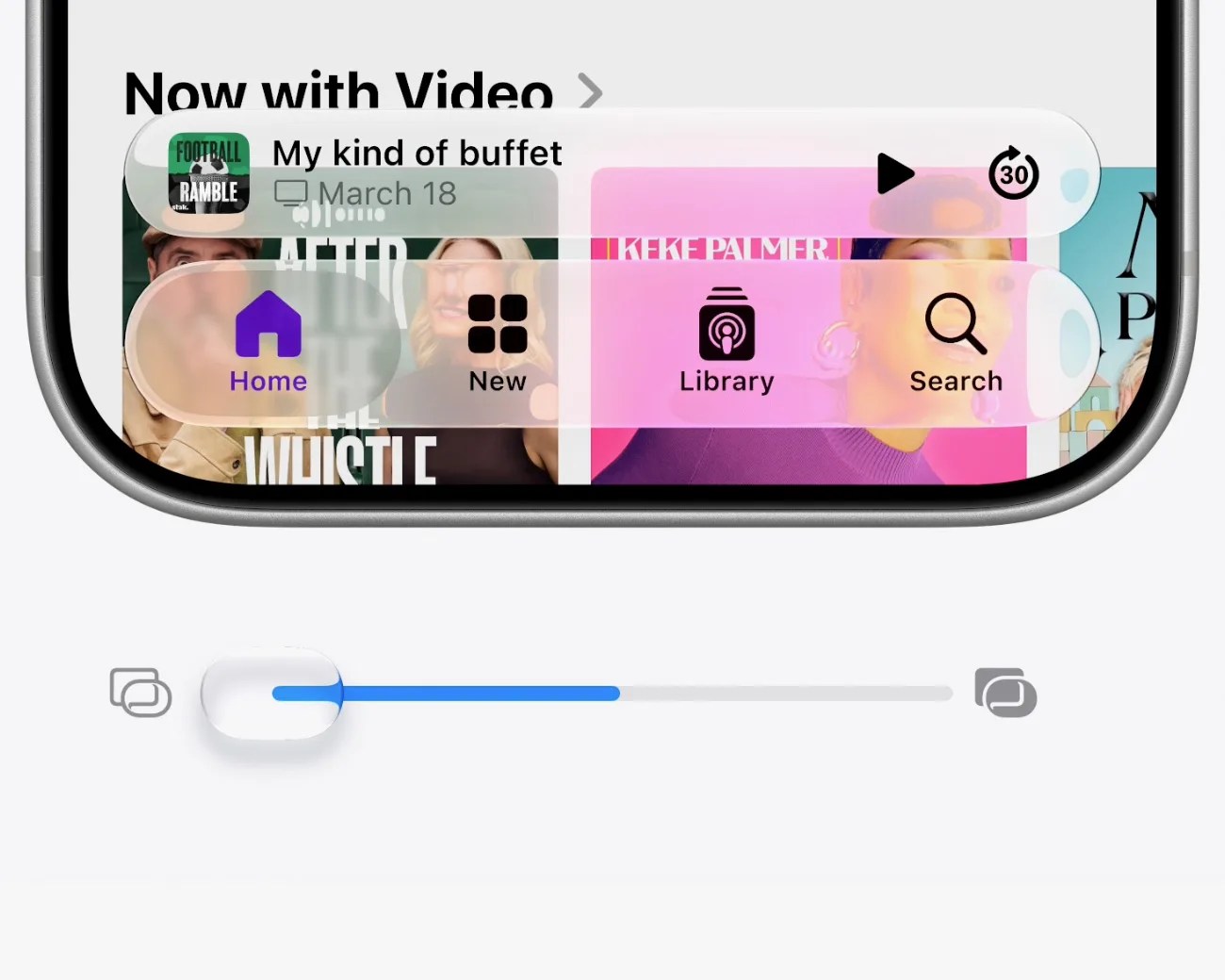
Close-up of a smartphone screen showing a podcast app interface with playback controls and navigation icons.
The Liquid Glass slider turned to max ultra-clear.
Apple
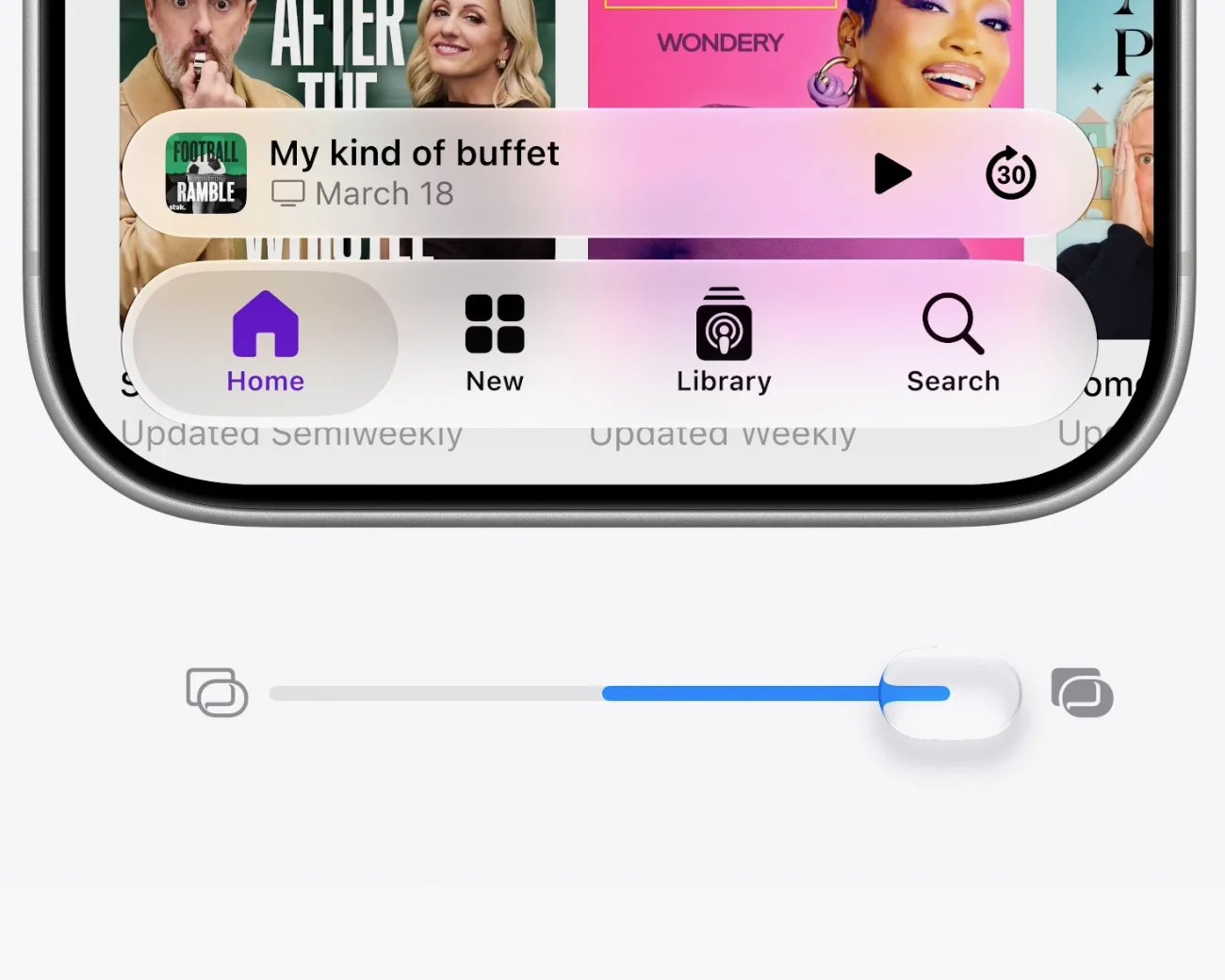
Close-up of a smartphone screen showing a podcast app interface with playback controls and a volume slider below.
The Liquid Glass slider was set to max tint.
Apple

In this new Appearance section, Apple has moved several settings that were previously in the Display & Brightness section in iOS 26. This includes settings for switching between “Light” and “Dark” modes, as well as picking the text size of your iPhone.

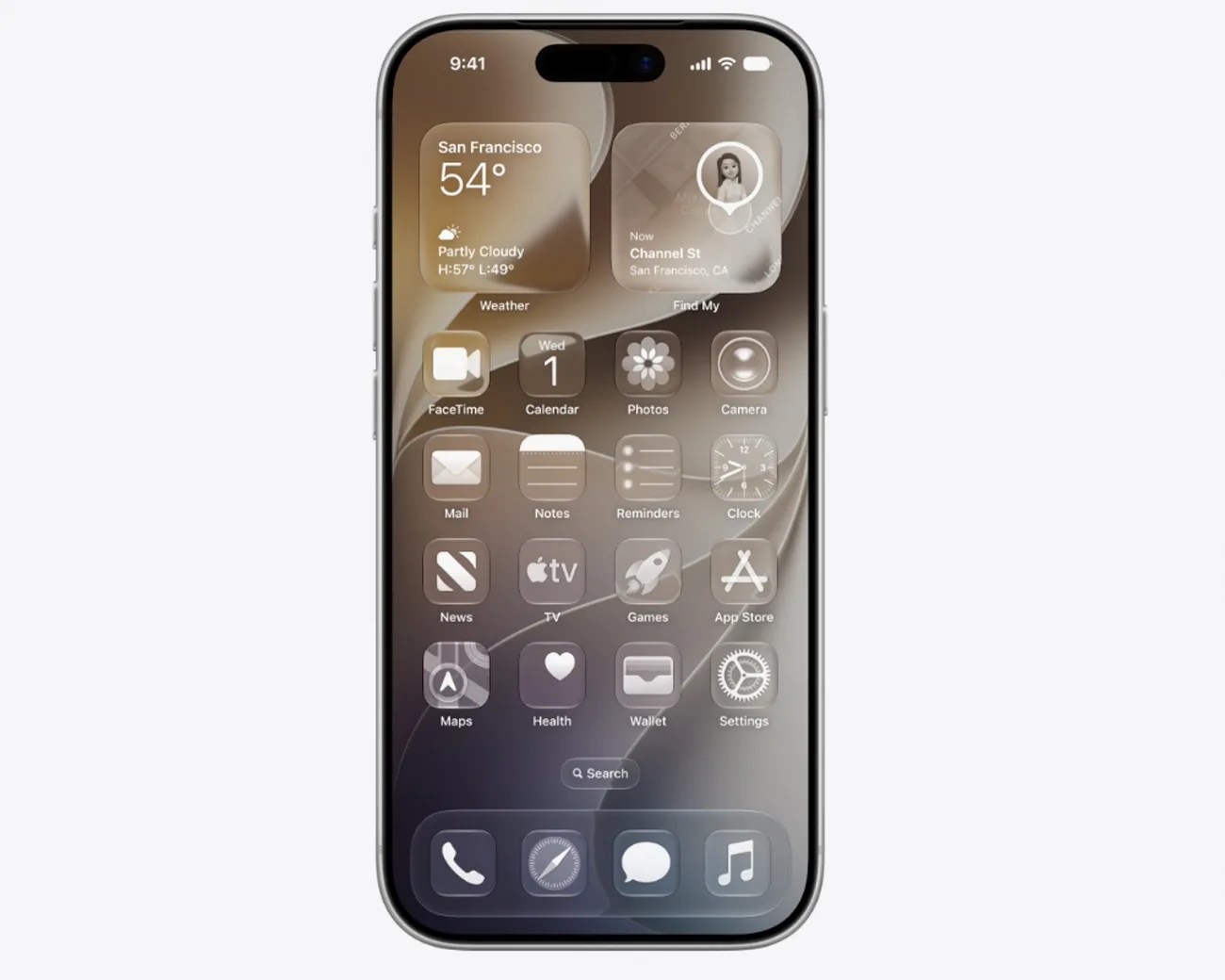
Additionally, iOS 27 introduces several other small visual updates. The appearance of app icons has been updated to look sharper and be more defined. This makes them a little more legible for those who previously had trouble reading them.

Smartphone with a dark-themed home screen displaying weather, calendar, and various app icons.
Apple claims app icons will be sharper and more defined in iOS 27.
Apple

When’s it coming?

The new Liquid Glass slider will be introduced with iOS 27, which will roll out to iPhones in September. The new software will be supported by all the same iPhone models as iOS 26: so, any iPhone 11 or newer.

For those who want to get a jump and try out the new features early, the public beta of iOS 27 is available now.

Want to stay up to date on the latest product news and releases? Add Gear Patrol as a preferred source to ensure our independent journalism makes it to the top of your Google search results.

add as a preferred source on google
, ,